How do I…?
Pick a question below. Follow the steps one by one each step has a picture. Stuck on anything? Ask me in my Discord server and I'll walk you through it.
// WORKING WITH ME
// PAYING
// LEAVING A REVIEW
// WORKING WITH ME
How to place an order
Ordering is self-serve and happens entirely in my Discord server. No DMs, no emails, no forms on this site just the button below and about 30 seconds of your time.
- 01
-
02
Open the order channel and tap "Place an Order"
There's a pinned message with a big green button. Tap it.

-
03
Fill in the short form
Three things: what you want built, your budget, and your deadline. Not sure about a number? Give a range that's still useful.

-
04
Your private channel opens
The moment you submit, a channel opens that only you and I can see. We confirm the details there, and a 50% deposit locks in your slot. Everything about your project lives in that one channel.

-
05
Watch it come to life
You get a live, playable Roblox link, and an automatic message in your channel every time I push an update. When you're happy, pay the rest, grab your final files, and tap Approve. Done! ✓

Ready? The button below takes you straight there.
Order on Discord// PAYING
How to pay with Robux
The Robux price is higher than the USD price because Roblox takes a 30% cut from every sale. That part goes to Roblox, not me.
-
01
Wait for my Game Pass link
I'll send you a roblox.com link in your private order channel on Discord. The price is already set up for your order.

-
02
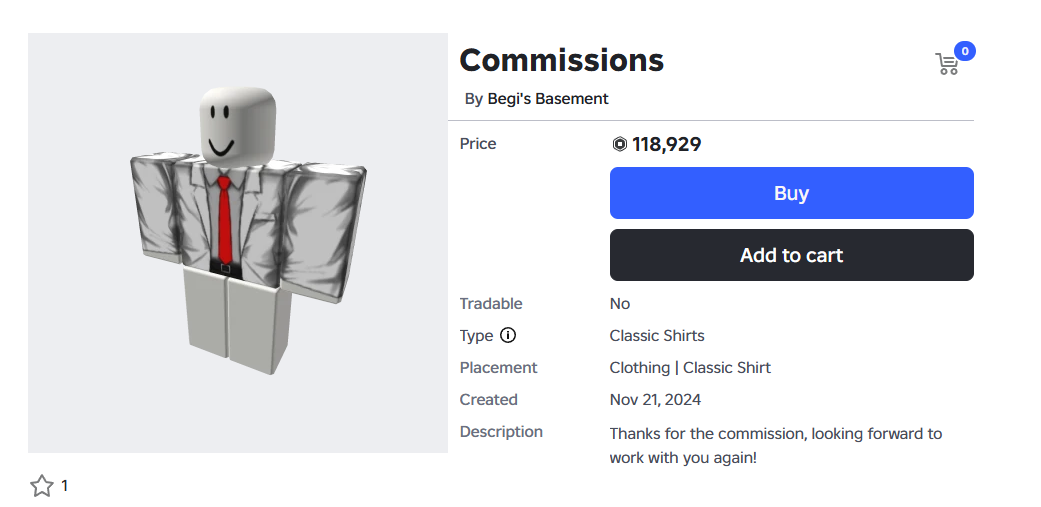
Open the link
It opens the Game Pass page on Roblox. Log in if you're not logged in.
-
03
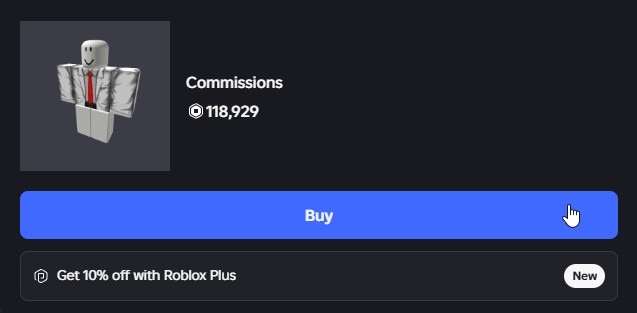
Press the blue Buy button

-
04
Press "Buy" to confirm
Roblox asks if you're sure. You're sure.
-
05
Send me a screenshot
Screenshot the "purchase complete" popup and drop it in your order channel. That's your receipt keep it. Done! ✓
Stuck? Don't guess just message me.
Join my Discord// PAYING
How to pay with PayPal (USD)
USD payments go to my PayPal email, sent as Friends and Family. Only ever send to pay@begi.dev never send money any other way, even if someone pretending to be me asks.
-
01
Copy my PayPal email
It's that's the only address you should pay.
-
02
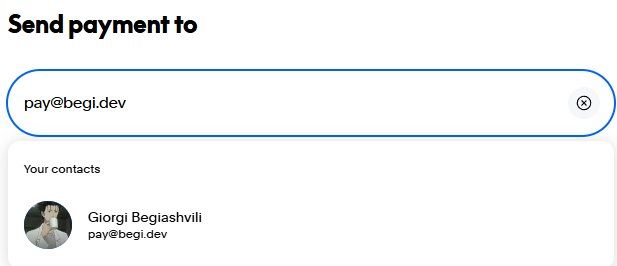
Open PayPal and press "Send / Request"
In the PayPal app or website, choose to send money.
-
03
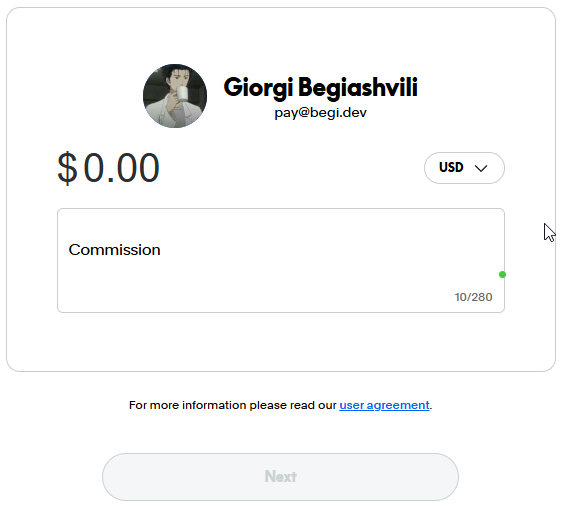
Paste my email and the amount
Enter pay@begi.dev and type the agreed amount in USD.
-
04
Choose "Friends and Family", then send
Pick Friends and Family (not Goods and Services), then confirm the payment.
-
05
Tell me in your order channel
A quick "paid!" message in your private channel is enough. A screenshot makes it even faster. Done! ✓
Stuck? Don't guess just message me.
Join my Discord// LEAVING A REVIEW
How to leave a review on my website
Takes about a minute. You sign in with Discord so I know reviews come from real clients I only see your Discord name, nothing else.
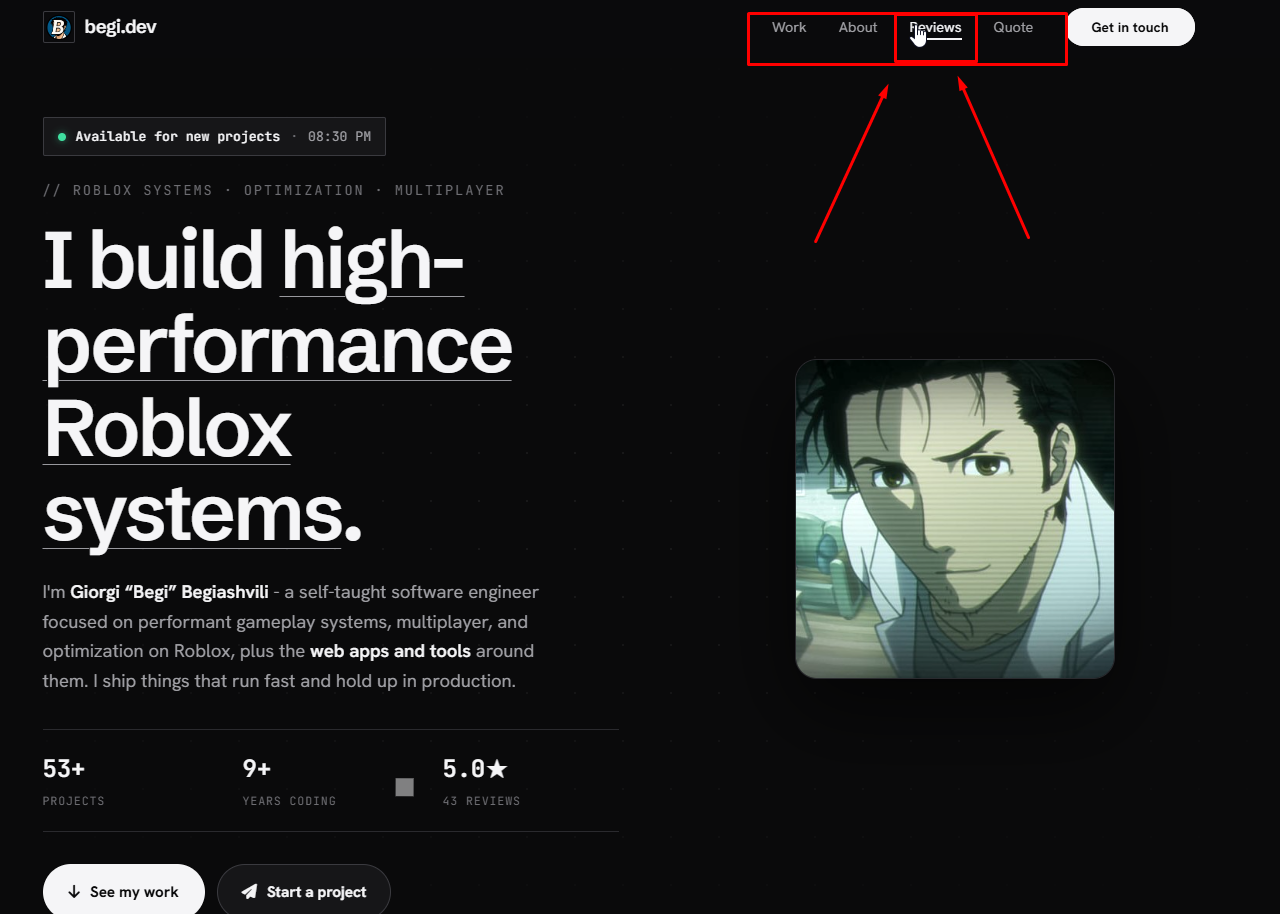
- 01
-
02
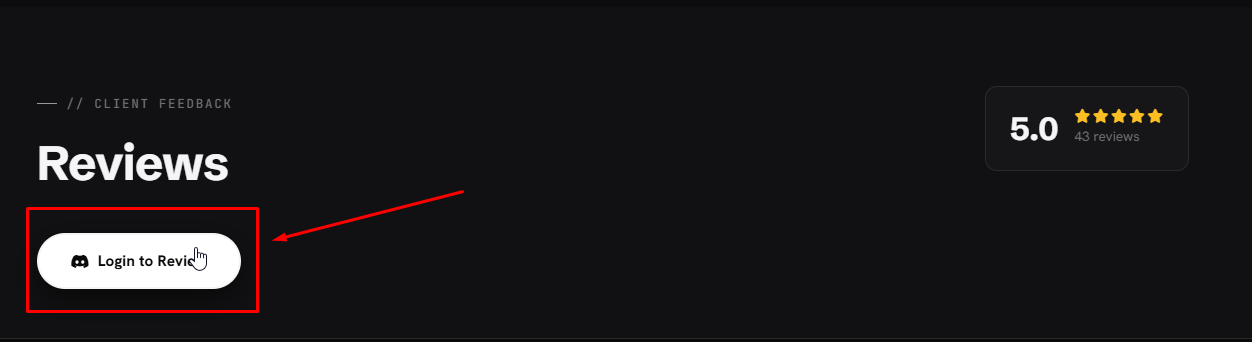
Press "Login to Review"
-
03
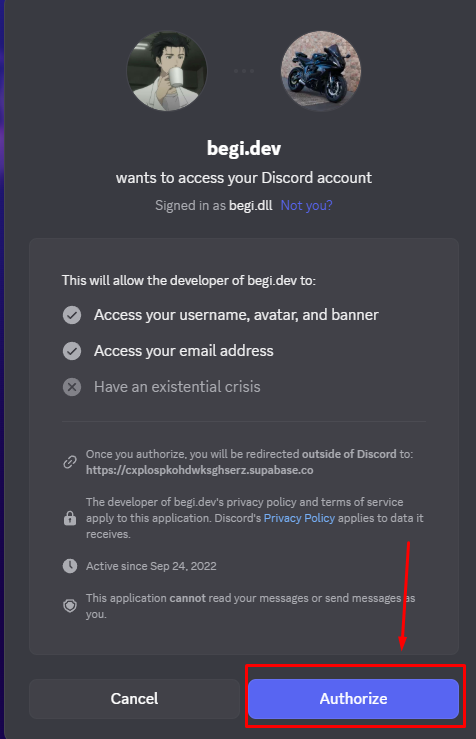
Press "Authorize"
Discord asks if you want to continue. Press Authorize you only share your Discord name.
-
04
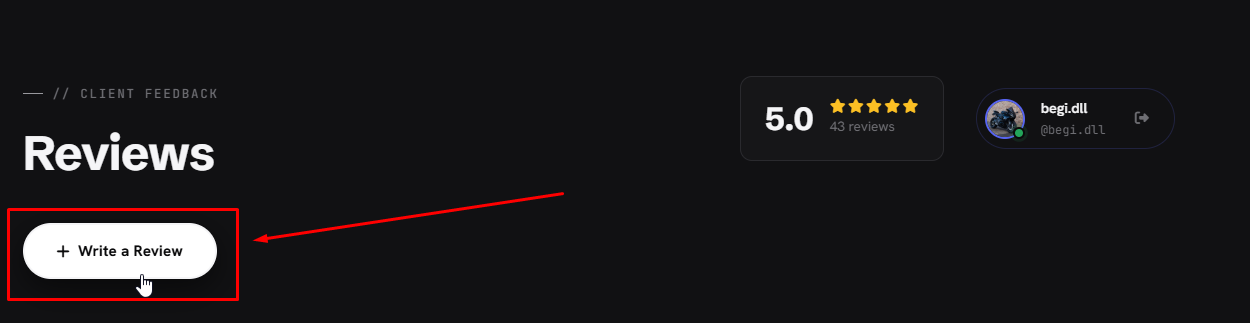
Press "Write a Review"
Now that you're signed in, the button appears on the Reviews page.
-
05
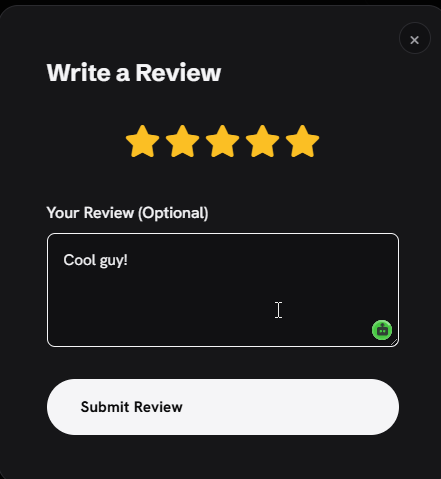
Tap the stars and write a few words
Tap the 5th star for 5 stars. The text is optional, but a sentence or two helps a lot.
-
06
Press "Submit Review"
That's it. Thank you! ✓
Stuck? Don't guess just message me.
Join my Discord// LEAVING A REVIEW
How to vouch on Hidden Devs
A "vouch" is a public review left through the HiddenBot in the Hidden Developers Discord server. It tells other people I'm legit.
-
01
Open the Hidden Developers server
It's the Discord server where you found me. You're probably already in it.

- 02
-
03
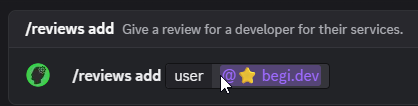
Type /reviews add and pick me
Start typing /reviews add, then set the user to
-
04
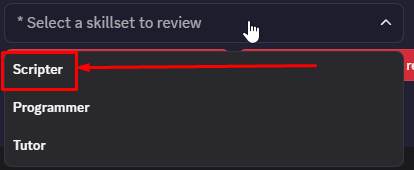
Choose the skillset: Scripter
Pick Scripter from the dropdown that's what I do.
-
05
Press "Edit Review Info"

-
06
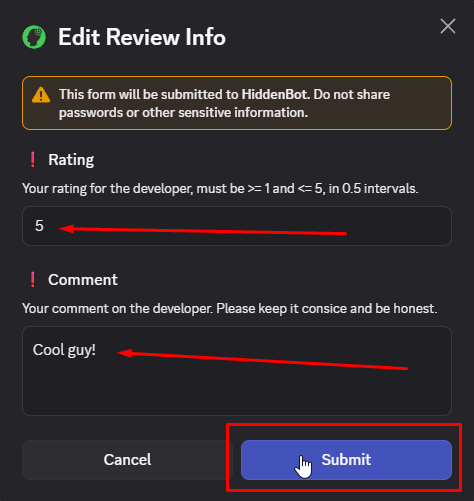
Set your rating and comment, then Submit
A rating from 1 to 5 and a short honest comment. Then press Submit.
-
07
Press "Edit Attachments"
This is where your proof of payment goes.

-
08
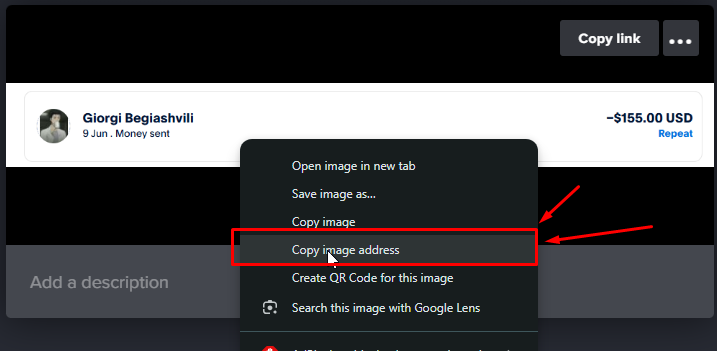
Copy a link to your payment proof
Right-click your payment screenshot and choose "Copy image address".
-
09
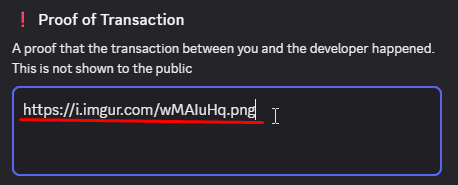
Paste it into "Proof of Transaction"
This is your payment proof. It's not shown to the public.
-
10
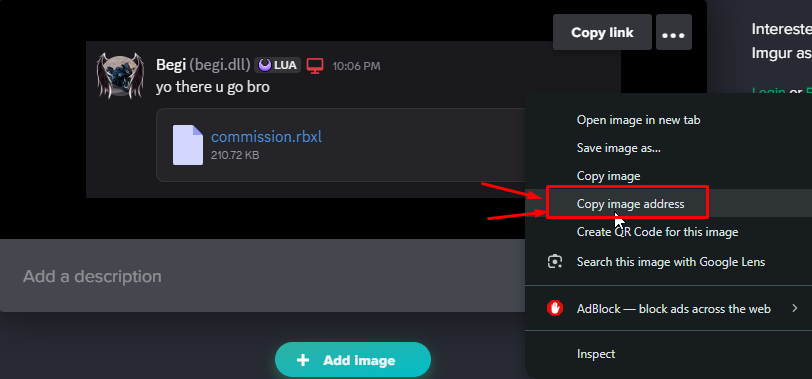
Copy a link to your product proof
Same trick for proof of the work I delivered: right-click it and choose "Copy image address".
-
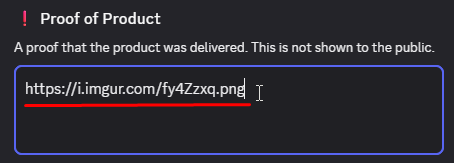
11
Paste it into "Proof of Product"
This proves the work was delivered. Also private.
-
12
Press "Submit" on the attachments

-
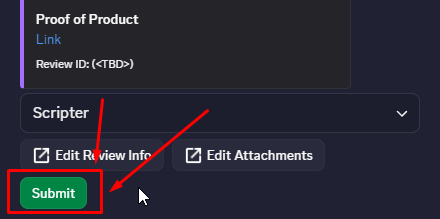
13
Press "Submit" on the review
With both Review Info and Attachments filled in, hit the green Submit.
-
14
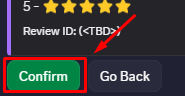
Press "Confirm"
Double-check the stars, then confirm. Done thank you! ✓

Stuck? Don't guess just message me.
Join my Discord// LEAVING A REVIEW
How to vouch on RoDevs
Same idea as Hidden Devs a public review inside the RoDevs Discord server.
-
01
Open the RoDevs server

-
02
Find the feedback / vouch channel

-
03
Check the pinned message for the format

-
04
Fill it out
Tag me say what I made and what you paid.

-
05
Attach proof and send
Payment screenshot in, hit send. Done thank you! ✓

Stuck? Don't guess just message me.
Join my Discord// WORKING WITH ME
How to write a good request
The order form on my Discord asks what you want built. A good description gets you a confirmed price in your channel the same day. A vague one turns into 20 questions back and forth. Here's the difference.
-
01
Describe the end result, not the code
Tell me what the player should see and feel. "When a player touches the pad, they launch into the air with a trail." I'll figure out the technical part that's my job.
-
02
Give me your numbers
The form asks for your budget and deadline. A range is totally fine ("around 50k Robux" / "$100–150"). Without a budget I can't tell you if your idea fits it.
-
03
Show me references
Link a game or video that already does something close to what you want. One link saves a hundred words.
-
04
Put it all in the order form
Don't submit "a game" and hope I'll figure it out. Put everything in the description I read it, we confirm the price in your private channel, we start. ✓
Don't do this
can u make me a simulator like pet sim
Zero detail. Now I have to ask you 10 questions in your channel before I can even confirm a price.
Do this
I need a pet hatching system like Pet Simulator 99 eggs, hatch animation, pet inventory. Here's a video of what I mean: [link]. My game: [link]. Deadline: ~2 weeks. Budget: around 50k Robux or $150.
One description, everything I need. You get a confirmed price and timeline the same day.
Don't know your budget or deadline? Say so in the form — a rough range is still better info than nothing.
Join my Discord